Secrets
Values your workloads need and nobody should read back: passwords, API keys, tokens.
On this page
What it is
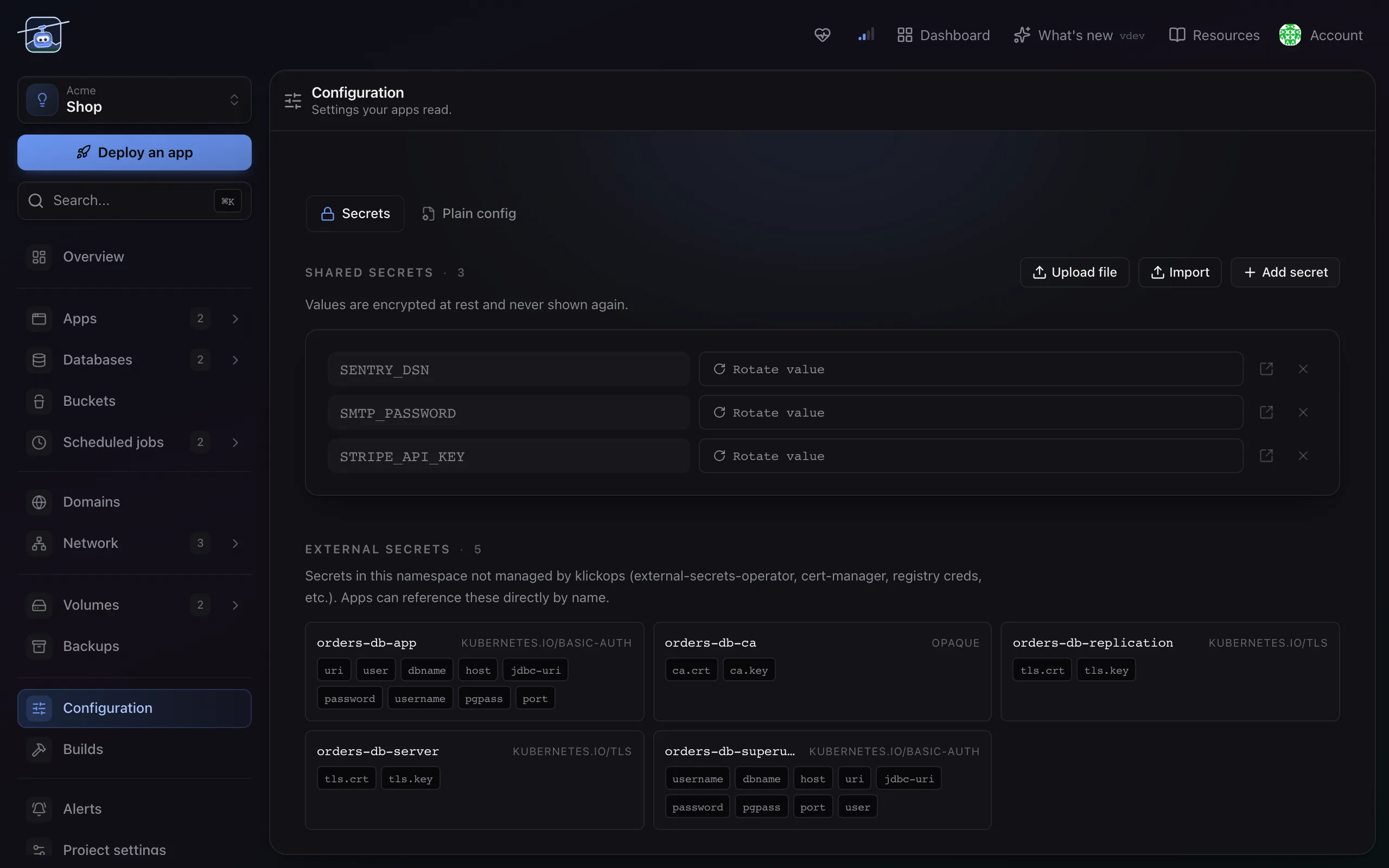
A secret is a value klickops stores encrypted and hands to a workload at runtime, without ever showing it back to you. Plain configuration that nobody would mind reading lives beside it as Configuration; the split is about sensitivity, not about format.
Secrets are project-level. One set, shared by every workload in the project, because an API key that two apps need is one key rather than two copies drifting apart.
When you'd use it
- A third-party API key, an SMTP password, a signing token.
- A credential you rotate, where you want one place to change it.
- Anything you would be unhappy to find in a screenshot.
Database credentials are not this. A database hands its own connection details to an app as a binding, which rotates with the password. Copying them into a secret creates a second copy that goes stale. See Databases.
Add a secret
- Open the project and go to Configuration.
- Add a key and its value. Keys are uppercase with underscores, the shape environment variables take.
- Save. Workloads that use the secret restart, and the save banner says how many before you commit.
The value is write-only from that moment. You can replace it, and you cannot read it back: not in the UI, not through the API, not in a list response. If you lose it, rotate it at the source.
Using one in a workload
Open the app, go to Configuration, and pick the keys it should receive. Each one arrives as an environment variable under its own name.
A workload only gets the keys you select. Sharing the set project-wide is about having one copy, not about handing everything to everyone.
Settings reference
| Setting | Default | What it does |
|---|---|---|
| Key | none | The environment variable name. Uppercase, underscores, unique in the project. |
| Value | none | Write-only. Replaceable, never readable. |
| Used by | none | Which workloads receive this key. Changing it restarts them. |
Limits and gotchas
- You cannot read a value back. This is the point, and it surprises people once. Keep the source of truth wherever the credential was issued.
- Changing a secret restarts what uses it. A container reads its environment at start, so there is no way to update one in place.
- A secret is not a file. For certificates and config files that must exist on disk, mount them as a volume instead.
- Deleting a key breaks whatever expected it. The workload restarts and the variable is simply gone, which usually surfaces as a crash on boot rather than a clear message.