Firewall
Who may reach your workloads, and what they may reach. Deny by default, with three switches that decide the rest.
On this page
What it is
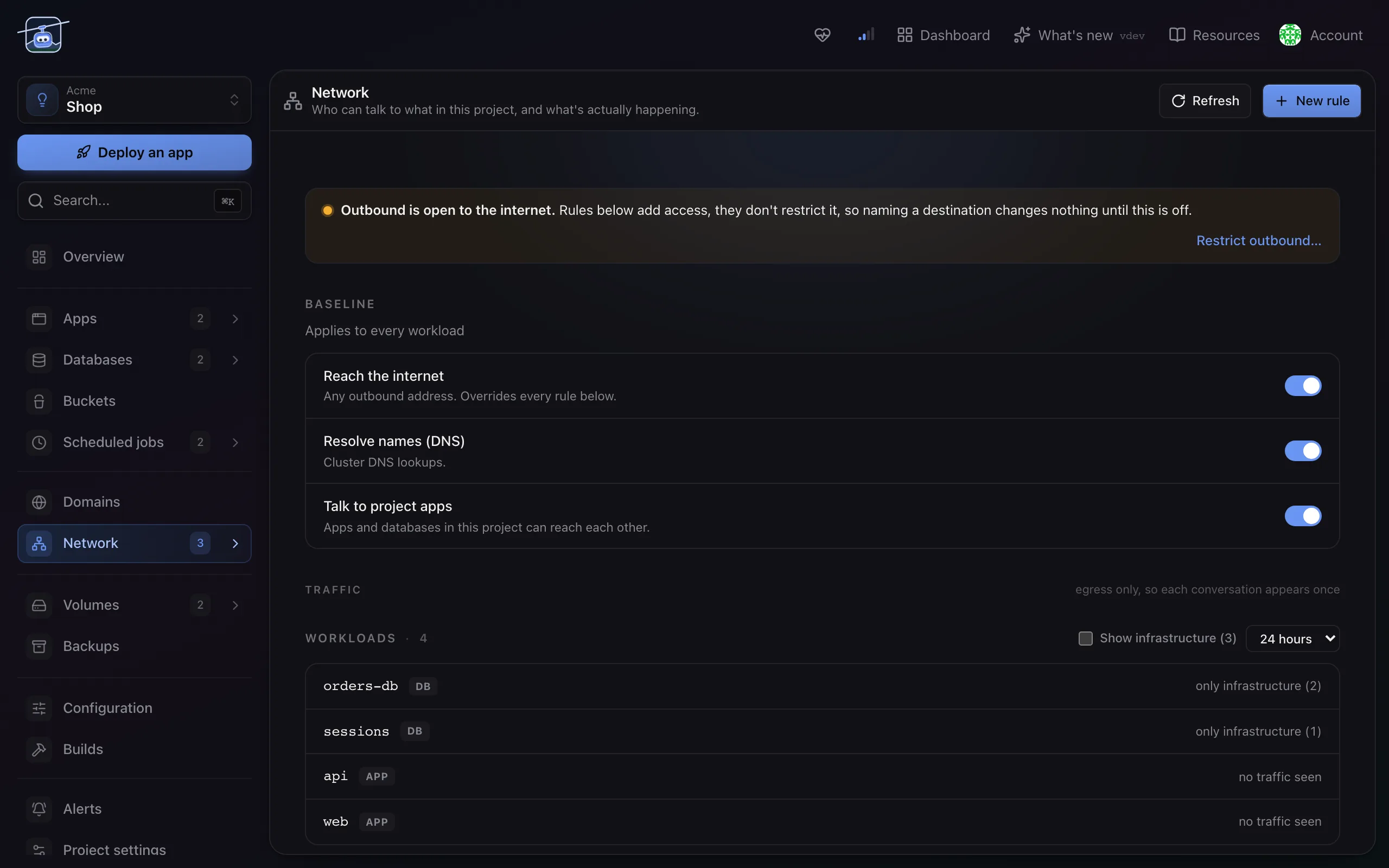
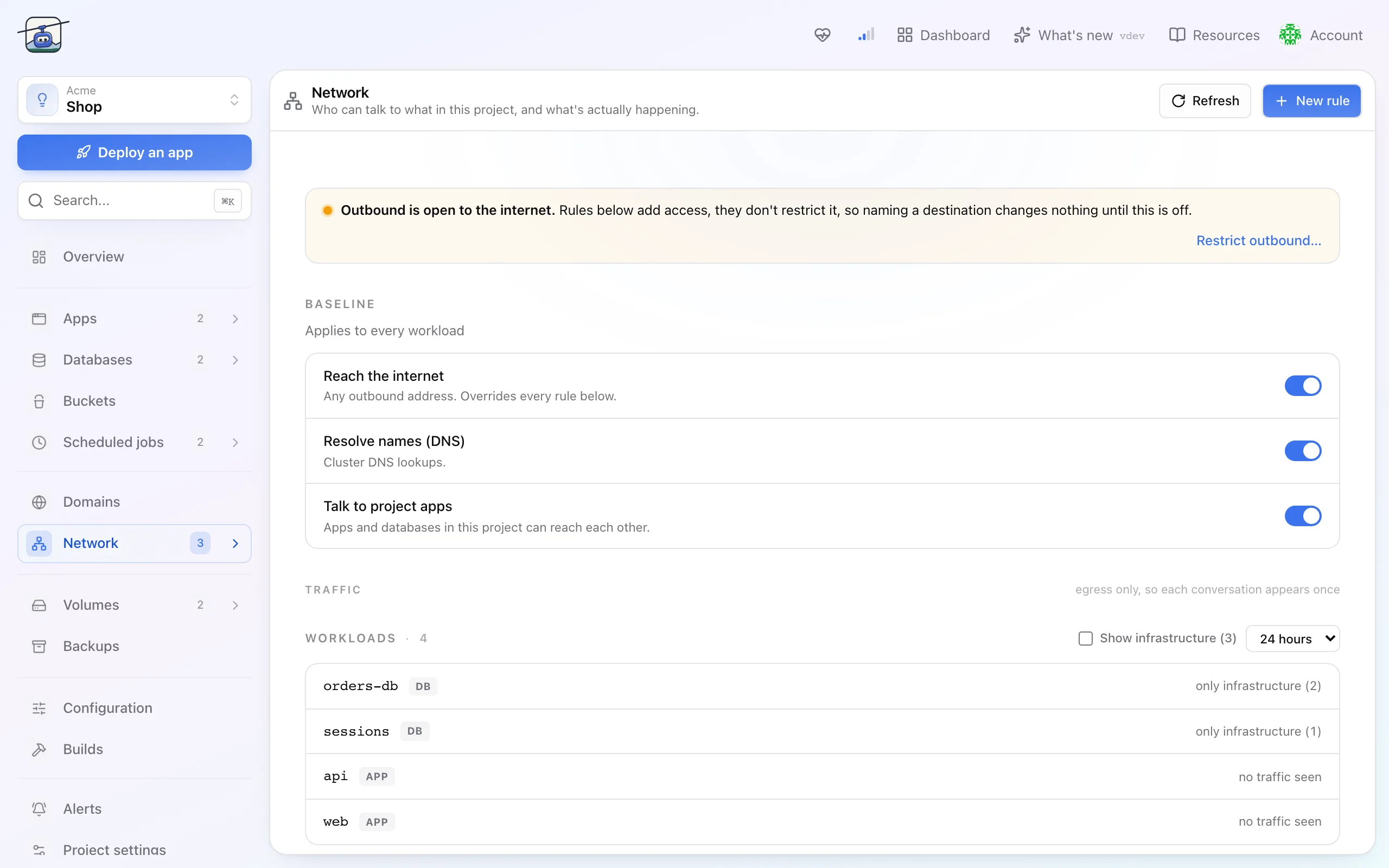
Every project starts closed. Nothing outside it can reach in, and what goes out is governed by three switches you own. On top of that baseline you write rules for the traffic you actually want.
That path works out of the box. Anything not on it needs a rule, which is the point: a workload nobody granted access to is a workload nobody can reach.
When you'd use it
- You want to limit which apps in a project may reach its database.
- An app must call an external API and the project is otherwise sealed.
- You want to prove, to yourself or an auditor, what a workload can actually talk to.
The three defaults
| Switch | Default | What turning it off means |
|---|---|---|
| Talk to project apps | on | Workloads inside the project can no longer reach each other. Your app loses its database. |
| Resolve names (DNS) | on | Nothing in the project can resolve a name. Almost everything breaks, including anything that depends on a hostname. |
| Reach the internet | on | No outbound connections to the public internet. An air-gapped project, which is a real requirement and a loud one. |
These are project-wide. Turn one off and it applies to every workload, so treat them as a posture rather than as a knob.
Switching off Resolve names (DNS) breaks more than it looks like it will. Names stop resolving everywhere, and the failures surface as timeouts in unrelated places rather than as a clear denial.
Writing a rule
Open Network and choose New rule. A rule names the workloads it applies to, a peer and ports, and is either Allow or Deny. A domain name can only be allowed; to block one, leave it out of your allow rules. While Reach the internet is on, an outbound allow changes nothing.
klickops can also derive rules from traffic it has actually observed. Rather than guessing what an app talks to, you let it run, then let klickops propose the rules matching the flows it saw. Read them before accepting: observed traffic includes whatever happened, not only what should have.
Seeing what is happening
The Network page shows the traffic each workload actually produced, including blocked connections. A blocked one is the useful one: choose Allow on it and klickops drafts the missing rule, instead of leaving you to infer it from a timeout.
Limits and gotchas
- Traffic inside a project is not encrypted by these rules. The firewall decides who may connect, not what the connection looks like.
- Allow rules only add. While a default is on, an allow rule next to it changes nothing; to close something, turn the default off or add a Deny rule.
- The internet means the public internet. Reach the internet and public-internet rules never reach private networks or the hosting provider's internal addresses, and a domain-name rule must name a public service. Where your platform administrator turned internet access off, the switch stays off.
- Denials look like hangs. A blocked connection usually times out rather than being refused, so a mysterious slow request is worth checking on the Network page.
- This needs a network layer (Cilium). Without it the Network page says so and offers no switches or rules; apps still run, reach each other and reach the internet with the platform defaults.