Volumes
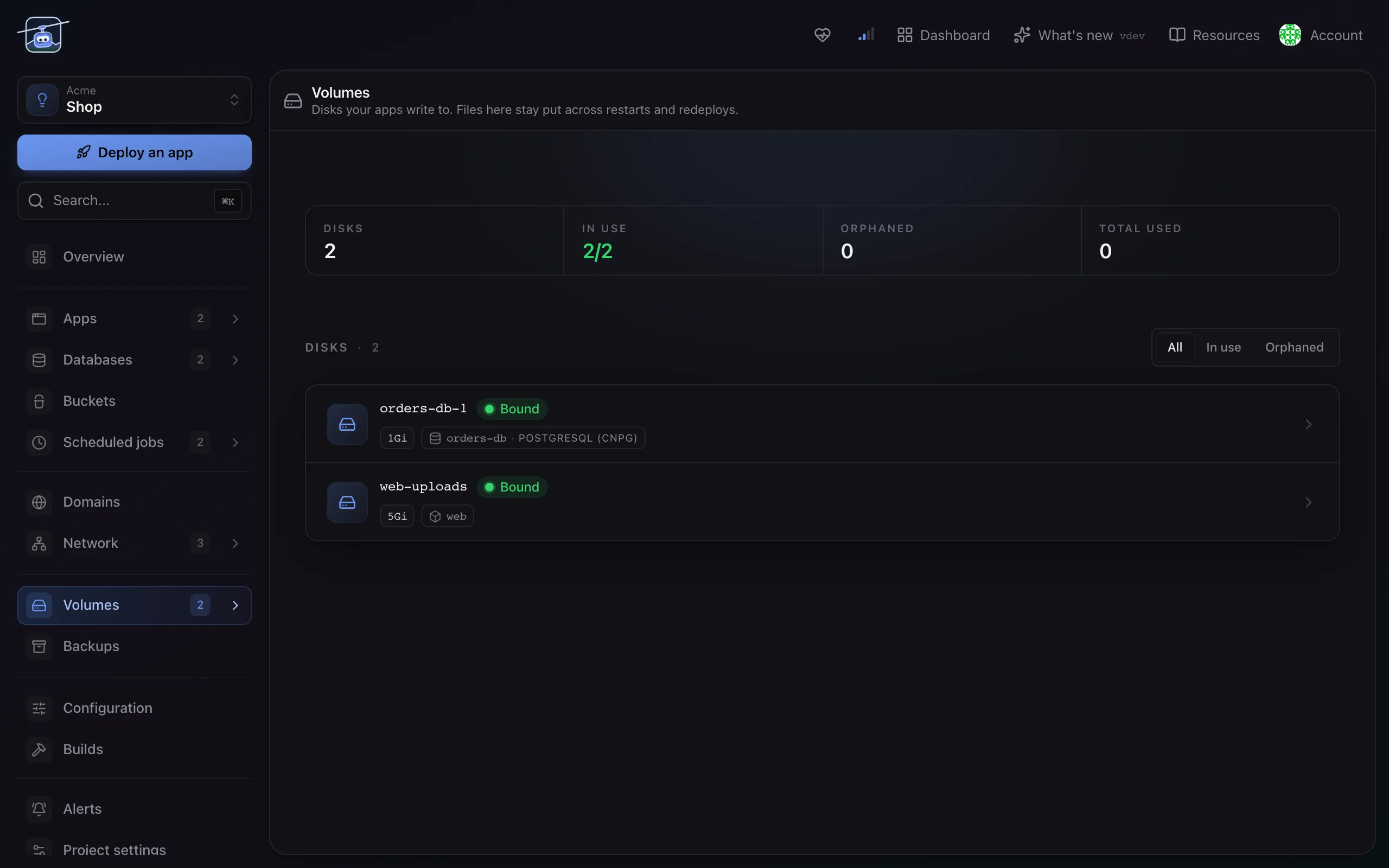
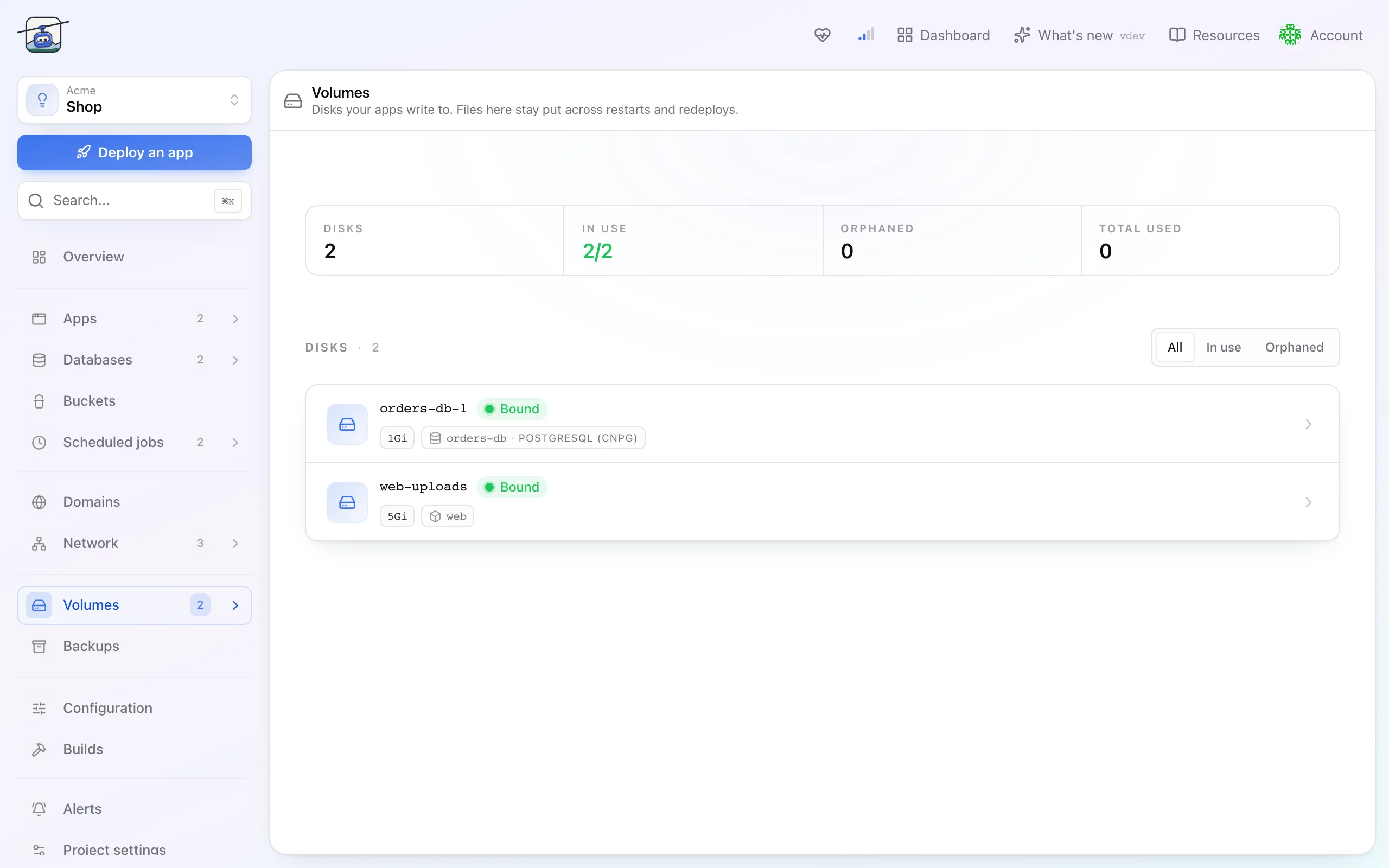
Disk that survives a rollout, mounted into an app at a path you choose.
On this page
What it is
A container's own filesystem is thrown away every time it restarts. A volume is disk that is not: it keeps its contents across restarts, rollouts and image changes, and appears inside the container at a path you pick.
Volumes are created by attaching one to an app rather than on their own. Detaching one, or deleting its app, keeps it and its data in the project as detached storage, marked Orphaned on the Volumes page, until you reattach or delete it.
When you'd use it
- User uploads an app writes to disk.
- A cache or index that is expensive to rebuild but not worth a database.
- Any directory that must still be there after a deploy.
Two apps cannot write to the same volume. If they need shared state, that is a database or a bucket. Reaching for a shared disk to coordinate two containers is the beginning of a bad afternoon.
Add one to an app
- Open the app and go to Storage.
- Choose Attach volume: a name, a size, and the path it should appear at inside the container.
- Save. The app restarts once with the volume attached, and the directory is empty on first mount.
Size comes from a slider with your plan's ceiling drawn on it, rather than a free-text field, because a typo in a storage figure is expensive in both directions.
Growing one
Open the volume and raise the size. It grows in place while the app keeps running, and the new space is available once the filesystem has expanded.
There is no shrink. Kubernetes does not offer one, so neither does klickops: getting smaller means creating a second volume, copying, and switching the mount.
Settings reference
| Setting | Default | What it does |
|---|---|---|
| Name | none | Identifies the volume in the project. Permanent. |
| Size | from the slider | How much disk. Grows online, never shrinks. |
| Mount path | none | Where the volume appears inside the container, for example /data. |
| Backup | with the project | Every volume is included in the project's backups once the project's Backups page has a schedule. There is nothing to switch on per volume. |
Limits and gotchas
- Storage only grows. Size for a year, not for a decade.
- One writer. A volume is mounted by one app. Scaling that app past one replica needs storage that supports it, or a different shape of state.
- The mount hides what was there. Mounting at a path the image already populated makes the image's files invisible, not merged. Mount at an empty directory.
- Backups run on the project's schedule. Until the project's Backups page has one, a volume is exactly as durable as the disk under it.
Deleting an app keeps its volumes as detached storage. Deleting a volume deletes the data with no undo.